Module Recovery
Ever been in a situation when a module stops responding after a re-flash by factory diagnostic software? Or a brand new module is not being recognized by factory diagnostic software? We bet you have. So here’s why it happens and, most importantly, what to do if that happens.
What’s inside a module’s flash memory
It’s split into a few regions/parts:
- Primary bootloader - performs initialization of the primary hardware and loads the main software. Closest comparison is a BIOS in your PC.
- Main software - works with the hardware/bus. Let’s say it’s your PC’s operating system (Windows, Linux, whatever).
- Calibration - the rules of how the OS should work and how it should work with other modules, sensors, actuators. Like a software for the OS - Office, whatever.
- Data - usually stored in a separate partition (D-Flash or EEP) - some sensitive data: VIN, immo data/keys, some persistent data like adaptations.
What happens during a re-flash?
Before you’ll be able to write something to flash you should erase the flash. In most cases the Data region is not affected. Primary bootloader is a strict no-go in most cases - erase it and the module would stop talking to you right away. So the diagnostic system flashes the updated images of the main software and calibration. And sometimes it fails… Lots of reasons why it fails - wrong software (happens), timeout, even a fridge kicking in and making a strong EM impulse (seen that).
Module bricked? Well, factory diagnostic systems think so. In fact - it’s not.
Remember your PC? A virus or something destroys your operating system, but the BIOS is still there - all you need to do is provide an alternative source of OS to load.
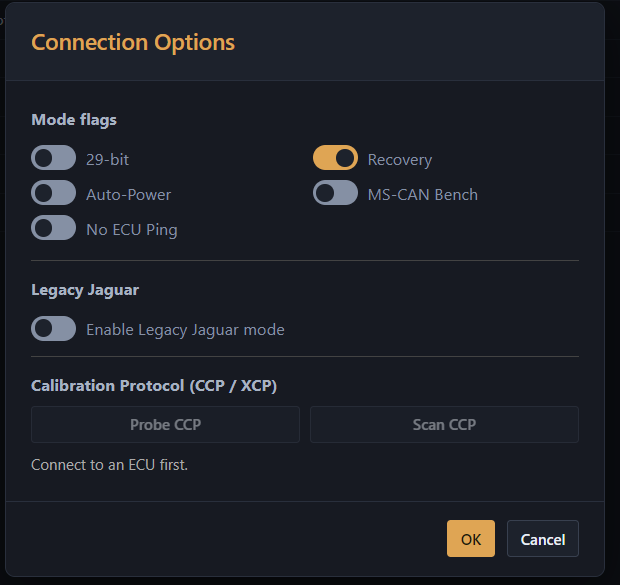
Same with a module. Actually, developers made every possible effort to be able to re-flash modules from these conditions and we call it a “recovery mode”. Here’s how it happens:
- Case 1 - light. Module has comms, but refuses to answer anything but programming commands. Easy - just feed the software/calibration and it would be back online.
- Case 2 - harder. Module doesn’t have comms, totally unresponsive. But that doesn’t mean it’s over and you should get a new one. When power is supplied to power up a module, the primary bootloader handles all the communications on its own, but for a short period of time. So it’s still possible to recover a module by removing it from the vehicle, connecting it on a bench and cycling power until it goes into programming mode. After that - it’s all the same as case 1.
- Case 3 - tricky. Happens on 2017+ vehicles. Module doesn’t have comms normally, but that’s where tricks kick in - normally a diagnostic system tries to communicate over DoIP protocol - basically automotive Ethernet. But we’ve found out that in most cases the module still has spare comms over a CAN bus! So again, it’s a matter of connecting directly to the module and just flashing it.
But why do factory diagnostic systems consider these bricked?
The explanation is pretty simple - before trying to flash a module it tries to collect data from it. Nothing is being received. And it just decides that it’s not worth it to offer to flash the module once again and gives up. Exactly the same happens, sometimes, with brand new modules (i.e. often scenario for brand new ZF 6HP26 TCM’s).
Our cloud diagnostic system is pretty much able to solve these issues and, from our experience, the success rate of recovery is over 95%.